Download Picsart AI Photo Editor, Video v30.9.2
257.96 MB
Picsart AI Photo Editor, Video
v30.9.2
| App Name | Picsart AI Photo Editor, Video |
|---|---|
| Latest Version | v30.9.2 |
| Category | Photo & Video |
| Developer | Inc., PicsArt |
| Apps | App Store |
Picsart iPA is a complete Photo Editor, Video Editor & Design Studio App. With this App you can easily edit your photos and videos using simple tools to create a great design without needing any advanced editing skills.
Picsart AI Photo Editor, Video
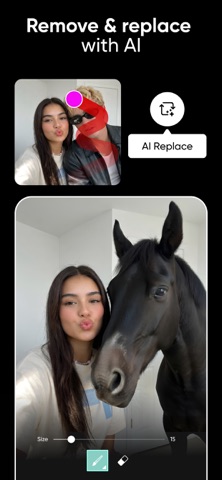
With this App you can upload your photo and use the Remove Background Tool to take out the main part of your photo. You can also use the Remove Object tool to remove any unwanted people, objects or mess. Once you have done that you can add your new background, text, stickers, filters & effects.
Picsart Aura
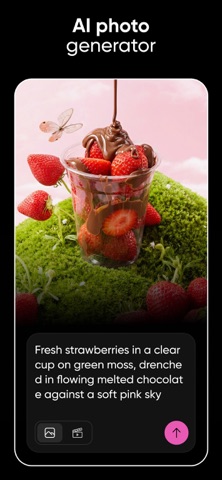
Picsart Aura is an AI Creative Partner. Just type in what you want to create and it will generate AI Images, AI Video & Design ideas. It will also suggest prompts, keep track of your chat and help you perfect your project.
Picsart AI Photo Editor, Video ios
It uses a variety of AI Models to create images and videos. This includes Nano Banana for Images and Veo, Kling, Runway & Luma for videos. Some models may be available based on your plan, region & App version.
Picsart iPA Features
- Edit your images with filters, effects and retouch tools.
- Remove Background.
- Remove Objects.
- Create AI Images with Text Prompts.
- Generate AI Video with Text, Images or Ideas.
- Add motion to your photos with Image to Video Tools.
- Create AI Avatar using your selfies.
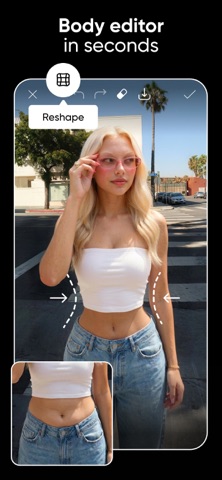
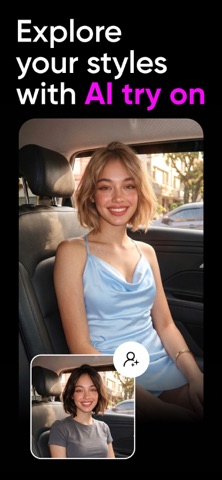
- Try out different outfits and styles with AI Try On.
- Create your logos, business cards, posters & social media posts.
- Add text with hundreds of different fonts & text styles.
- Create photo collages & video collages.
- Create your stories, posts & promotions using templates.
- Add stickers from a large selection of stickers.
- Create captions and marketing text using the AI Writer.
Picsart also has a few more AI tools such as Enhance which will improve your image quality, Expand which will make your image bigger and Replace which will replace parts of your image. These are great to use for product images, profile pictures, reels & social media.
How to use Picsart on iOS devices
Open up the App and tap the + button to upload your image. Choose what you want to edit. If you want to remove the background tap ‘Remove BG’ and it will automatically separate your main object from the background.
Picsart AI Photo Editor, Video ipa file
If you want to remove an object select ‘Remove Object’. Then brush over the area you want to remove. It will fill the area with the background. Then you can add text, stickers, filters or a new background. Save your project.
Picsart Plus & Pro
The free version of Picsart has lots of basic editing tools. However some premium content, templates & AI features may need a paid plan. With Picsart Plus you can access premium content, templates & extra retouch tools. With Picsart Pro you can access more AI tools, team seats (for small businesses) & extra storage.
Screenshots
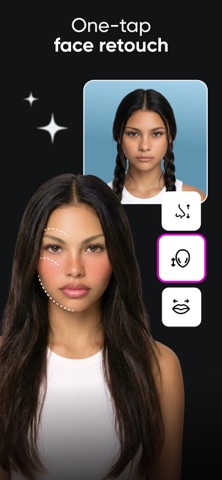
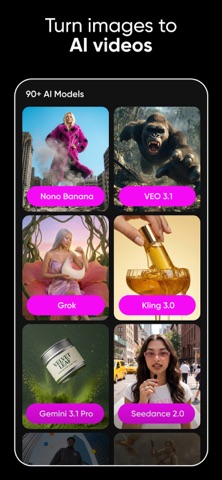
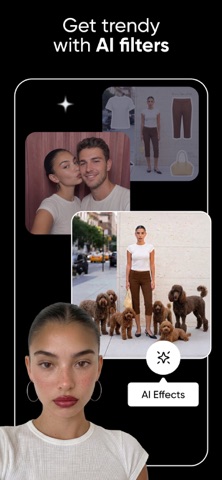
Download Picsart AI Photo Editor, Video iPA file for iPhone & iPad
Unlocked Features:
Subscription Unlocked
Rating
You have already voted
Thanks for rating
Related
Canva AI Photo & Video Editor iPA file Download
v4.233.0

Lightroom Photo Editor & Video iPA file Free Download
v11.6.21

VN: Professional Photo & Video Editor iPA Free Download
v2.24.0

Twitch IPA Mod file v31.1 (Download Clips/Adblock) iOS
v31.1

Adobe Fresco: Draw & Paint iOS iPA App Download
v7.7.0
Download Procreate Pocket iPA for iOS/iPadOS
v4.0.14

Download Video Star Pro – Video Star++ iPA file for iOS/iPadOS
v14.2.0