Download Altstore iOS v10
Windows 
Altstore iOS
v10
| App Name | Altstore iOS |
|---|---|
| Latest Version | v10 |
| Category | Install iPA files |
| Developer | Riley Testut |
AltStore iPA signer
Are you looking for the best way to sideload and install IPA files on your iPhone or iPad without jailbreak? Then Download & Install AltStore – iOS IPA App Installer and sideload popular Apps like Delta Emulator, GBA4iOS, tweaked Apps, Games, iPA Emulators, Jailbreak Apps on iOS 18 / 17 / 16 / 15 / 14 / 13.4 / 12.4 / 11.4 / 10 iPhone, iPad and iPod touch device using AltServer on Windows PC or Mac.
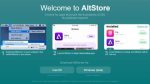
Altstore
iOS AltStore is a Popular Alternative app store and the best iOS IPA Apps installer app created and developed by popular iOS App developer Riley Testut. This Advanced iPA sideloading tool offers a dedicated App interface with advanced features like direct iPA sideloading, profile revoke status, options for a free developer profile certificate and more. Moreover, AltStore uses a free developer certificate to sideload your favorite custom apps and IPA files on your iPhone, iPad and iPod Touch device without jailbreak.
Altstore is an iOS IPA apps signing tool that helps you to sideload your favorite iPA apps on your iOS device without Jailbreak. Unlike traditional IPA sideloading tools like Trollstore, eSign and Sideloadly, Altstore has a dedicated iPA signing network. It resigns apps with your personal development certificate and sends the app to a desktop AltServer client, then AltServer installs the resigned apps back to your device using iTunes WiFi sync.
AltStore uses your Apple ID to sign apps and install them safely on your device. The installation process is done through the AltServer companion app that runs on your Windows PC or Mac computer.
Download Altstore an iOS application on iPhone/iPad
AltStore is a premium app installer that allows you to sideload custom apps and IPA files without any external tools. AltStore app store is designed for sideloading iPA files with detailed information. Every app in AltStore App store listed in well-structed store page with detailed information about iPA which helps to make sideloading easy. Compared to other sideloading methods, AltStore offers a user-friendly interface and automatic app refreshing features.
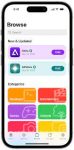
Altstore
AltStore App Installer Features:
- Works as an alternative app store for sideloading custom apps.
- AltStore helps to sign and install .ipa files on your iOS devices using Apple ID.
- Automatic app refreshing to prevent expiration.
- Compatible with Windows PC and Mac computers.
- No jailbreak required for the installation process.
- Clean and user-friendly interface design.
- Supports all iOS versions and devices.
- Safe app signing using your Apple ID.
- Custom app sources support for more apps.
- Regular updates with new features and bug fixes.
- Built-in app management tools.
Download & Install AltServer – AltStore Installer client on Windows/Mac
Requirements Before Installation:
- Windows PC or Mac computer.
- iPhone, iPad or iPod Touch device.
- iTunes on your windows or mac computer.
- Same WiFi network for both devices
- Apple ID account.
- Download AltServer on Your Computer: First, download AltServer from the official AltStore website on your Windows PC or Mac computer. Basically, AltServer is a client server app that installs AltStore on your iPhone or iPad device.
- Install AltServer on Windows: Install the AltServer application on your computer. For Windows users, Install iTunes and iCloud from Microsoft store.
- Install AltServer on Mac: For Mac users, Open Finder and then enable “Show this iPhone/iPad when on WiFi” for your device.
Install Altstore Alternative iPA App Store on non-jailbreak iPhone, iPad
Step.1) Connect Your iOS Device Connect your iPhone or iPad to the same WiFi network as your computer. You can also connect via USB cable for faster installation.
Step.2) Run AltServer on Mac Launch AltServer on your computer. Click the AltServer icon in the Mac menu bar, go to “Install AltStore”, then choose your device.
Step.3) Run AltServer on Windows: For Windows users, click the AltServer icon in the bottom right taskbar tray of your Windows machine, select “Install AltStore” and choose your Apple device.
Step.5) Enter Your Apple ID Information Enter your Apple ID email address and password on your computer to allow AltServer to authenticate with Apple.
Note: This information is only sent to Apple for app signing and not stored anywhere.
Step.6) Complete Installation Process Wait for AltServer to install AltStore on your device. The process may take a few minutes depending on your internet connection.
Step.7) Once the App is installed, trust the developer profile from below steps.
Go to Settings >>> Navigate to General >>> Profile & Device Management >>> Find the Riley Testut profile >>> tap on TRUST from the pop-up message.
Step.8) Finally, Launch the AltStore iPA Installer app and start sideloading your favorite tweaked apps and games on your iPhone or iPad device.
How to Sign and Sideload iPA files Using AltStore PAL Installer
Once you have AltStore installed on your device, you can easily sideload custom apps and IPA files. Here are different methods to add apps to your device:
Method 1: Installing Custom IPA Files
- Download the required IPA file from our trusted iPA Library store and save it on your iPhone or iPad device.
- Open the iPA signing tool App and navigate to the “My Apps” section.
- There, tap on the “+” Add button to add a new app.
- Browse and select the IPA file that you downloaded previously to install.
- Wait a few minutes for AltStore to sign and install the app on your iOS device.
Method 2: Adding Custom Sources
- Open the AltStore IPA Installer on your iOS device and go to the “Browse” section.
- Navigate to the “Sources” option from the bottom bar.
- Now Tap on the Add “+” option from top-left.
- Enter your iPA App source URL and then tap on “Add Source” button.
- Then, browse the IPA files and select your favorite App.
- Tap on iPA file and wait a few minutes to install apps from the new source.
Thanks’ for visiting iPA files
Download Altstore iOS
Rating
You have already voted
Thanks for rating
Rating
You have already voted
Thanks for rating